As many modules as you need, in one app.
Instead of a separate tool for every need, one platform: 17 modules in four groups cover the event from registration to sponsor revenue and the closing report. Attendees use one app; you manage everything from one panel.
Build it around your event.
Pick your event type to start with the recommended modules, then add or remove what you need. The modules you choose are what your attendees see in the app.
One app for attendees, one panel for your team. You can add modules as your needs change.
Request a demo with this setupVisitor Experience
Everything visitors need, personal and in one app.
Registration and Visitor Management
Visitor data is collected accurately and completely from the first touch.
- Event registration pageA branded page and registration forms
- Invitations and categoriesInvite lists, approval flow and category-based access
- Profile and interest dataThe data matching and personalization need is collected up front
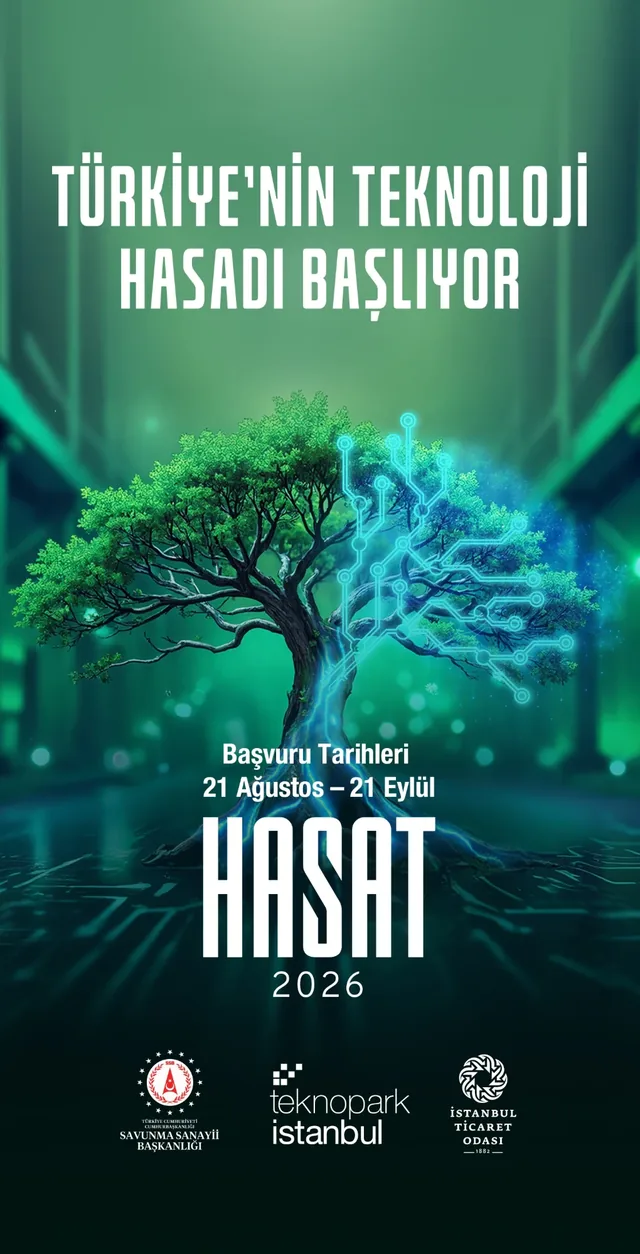
At Hasat 2026, startups in defense, fintech, biotech and BİGG meet investors, corporates and the wider ecosystem. Visitors apply to attend; startups apply to take the stage in the Hasat 2026 competition.
Apply for the competition stage; share your founder details and upload your pitch deck.
Startup ApplicationApply to attend the event and join the networking experience.
Visitor ApplicationEventiqs runs table-free networking digitally, coordinating matches and the meeting flow from one panel.

Speaker Flow
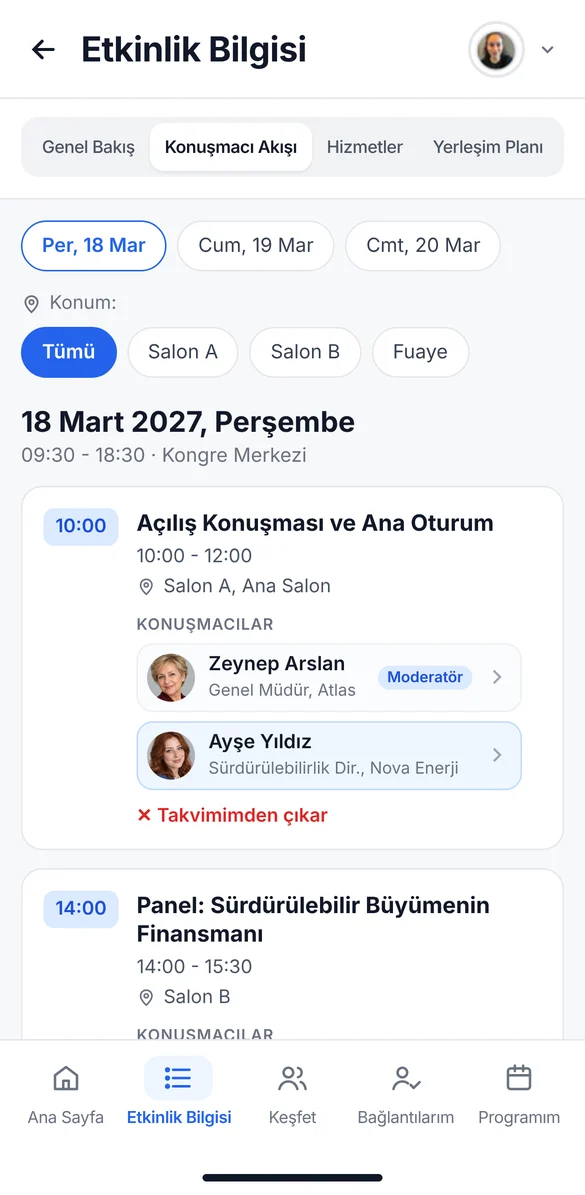
Every session, hall and speaker on one screen.
- Program by day and hallSessions filter by date, hall and location
- Speaker profilesPhoto, title and bio open with a single tap
- Instant updatesProgram changes made in the panel show up in the app right away
My Calendar
Every attendee gets a personalized calendar for their event day.
- Personal agendaChosen sessions and meetings in one flow
- Automatic remindersA notification arrives before each session, so more people attend
- Free time viewOpen slots for planning meetings are visible

My Travel
Flight and accommodation details for each visitor.
- Outbound and return flightsFlight number, PNR, seat and baggage
- AccommodationHotel, check-in and check-out dates, distance to the venue
- Guest logistics in one placeEvery detail in the app instead of emails and spreadsheets
Floor Plan
Visitors easily find halls, booths and service points.
- Plans by floor and areaHalls, exhibition area and service points on one plan
- Booth and hall searchThe company or hall you look for is marked on the plan
- Maps and visualsMaps and visuals uploaded by the organizer in one place
Smart Photo Sharing
AI-powered face matching helps event photos find their owners.
- Uploads throughout the eventOrganizers upload photos from the panel during the event too
- Personal galleryEach visitor sees their own shots under My Program
- Framed sharingReady for social media with an event and sponsor frame



Networking
The right people are found before the event, and encounters become digital connections.
Smart Matching
AI recommends the right people to each attendee based on their profile and interests.
- Recommended for youPeople suggested from profile, goals and engagement data
- Why recommendedThe reason and match score of every suggestion are visible
- Improves every editionMatch quality grows with accumulated data
These matches are based on your profile, interests and engagement data.

Looking for new partnerships and investment opportunities.
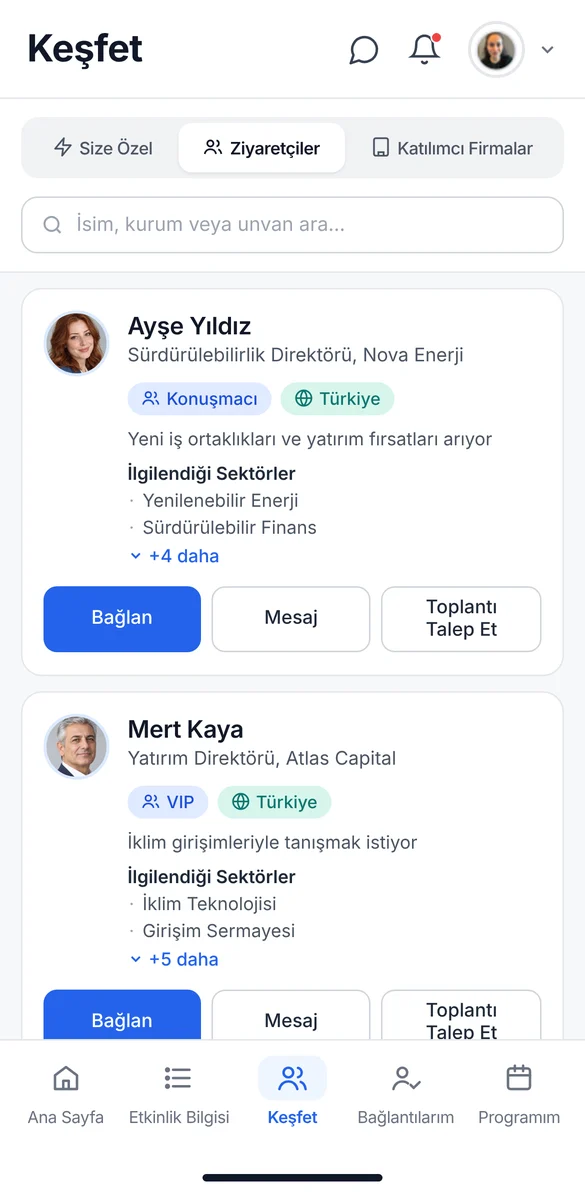
Visitor Directory
Every visitor is searchable by category and sector.
- Category and sector filtersSpeaker, sponsor, VIP and sector lists
- Quick searchSearch by name, organization or title
- Profile detailsInterests are visible; connect, message or request a meeting in one tap
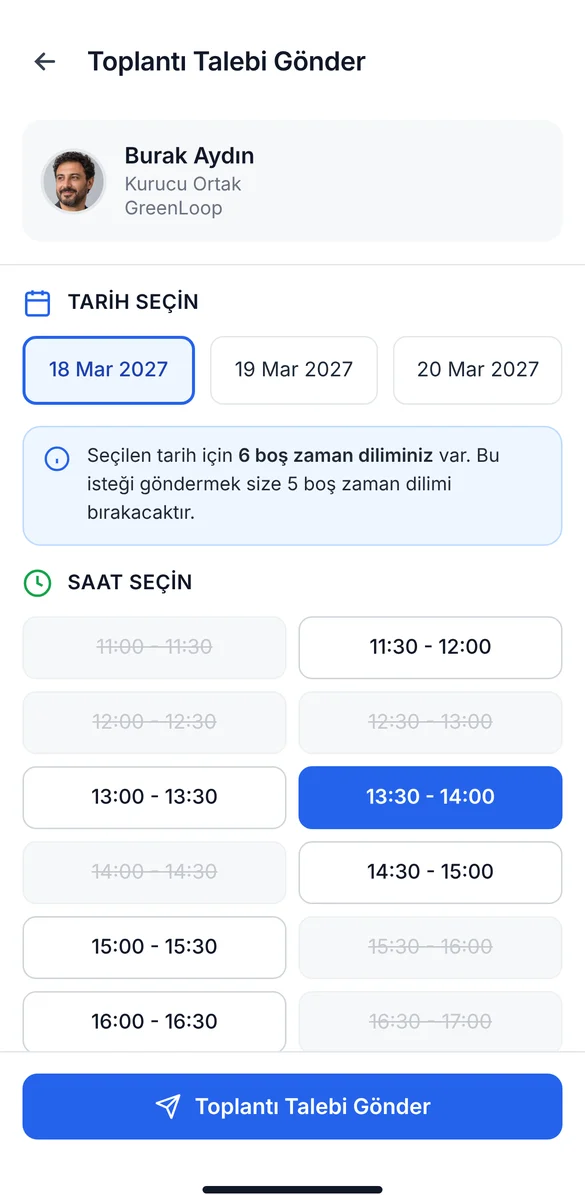
Messaging and Meeting Requests
Connections turn into meetings inside the app.
- Connection requestsA connection is made once the other side accepts
- In-app messagingChat without sharing contact details
- Meeting requestsPick a slot; confirmed meetings are added to the calendar
Speed Networking
Short, planned meetings create many of the right contacts in little time.
- Meeting matrixTable and round plans in the organizer panel
- Flexible editingThe draft is edited cell by cell, then published
- Visitor notificationsEvery visitor sees their table and time in the app
Sample OrganizationGlobal Impact Summit 2027Organizer AdminOrganizer Panel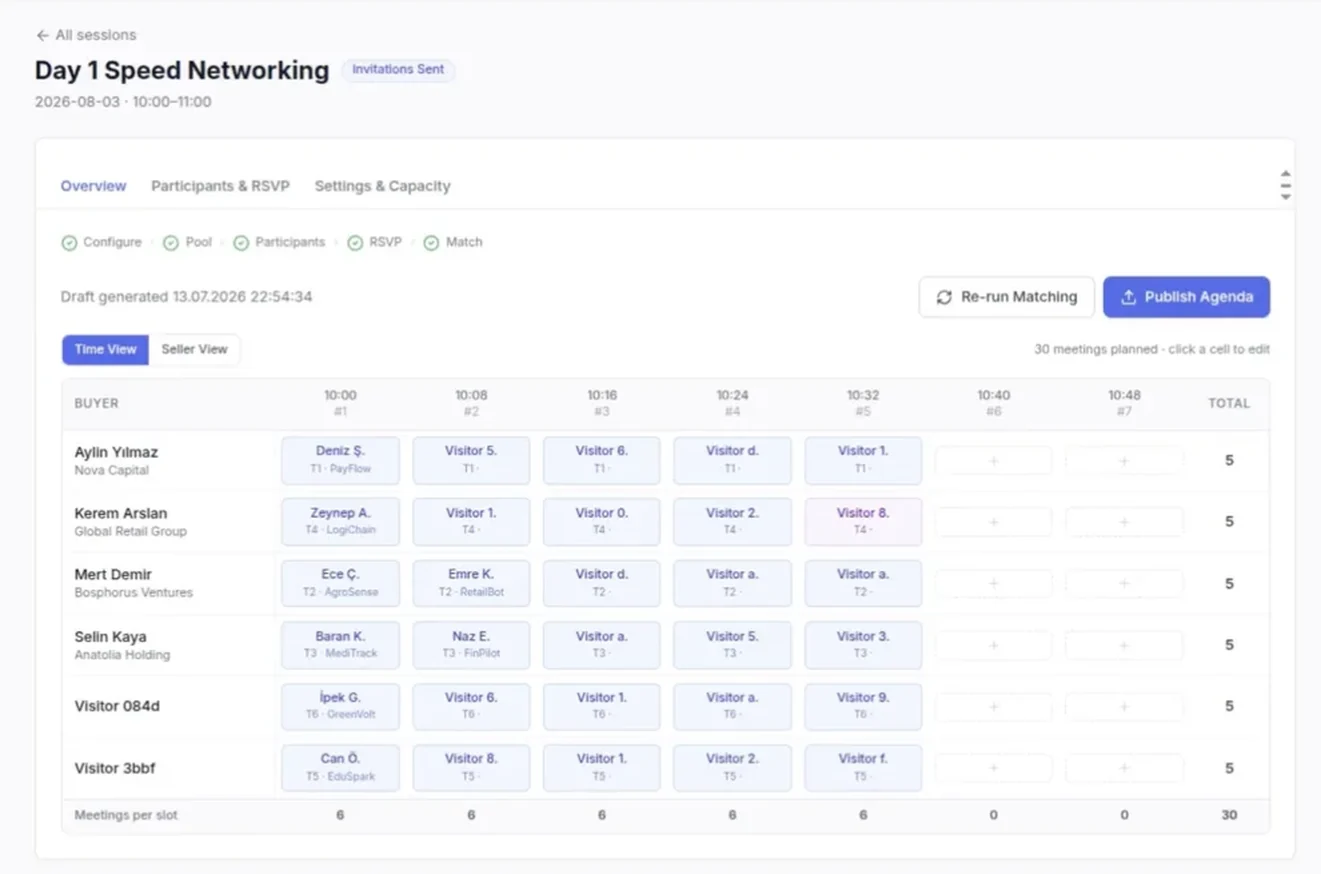
QR Connections
Meeting in person becomes a digital connection with one scan.
- Personal QR codeEvery visitor has their own QR code in the app
- One-scan connectionProfile details are saved instantly, notes can be added
- Export to ExcelAll connections export in bulk
 Burak AydınCo-founder, GreenLoopconnected
 Mert KayaInvestment Director, Atlas Capitalconnected
Business Card Scanning
Printed business cards become digital connections in seconds.
- Automatic card readingName, company, title, phone and email are read automatically
- Notes and tagsAdd meeting notes and tags to every connection
- Bulk Excel exportAll connections in one file at the end of the event
Sponsors and Revenue
Companies show up with their products and teams, and organizers gain new revenue space.
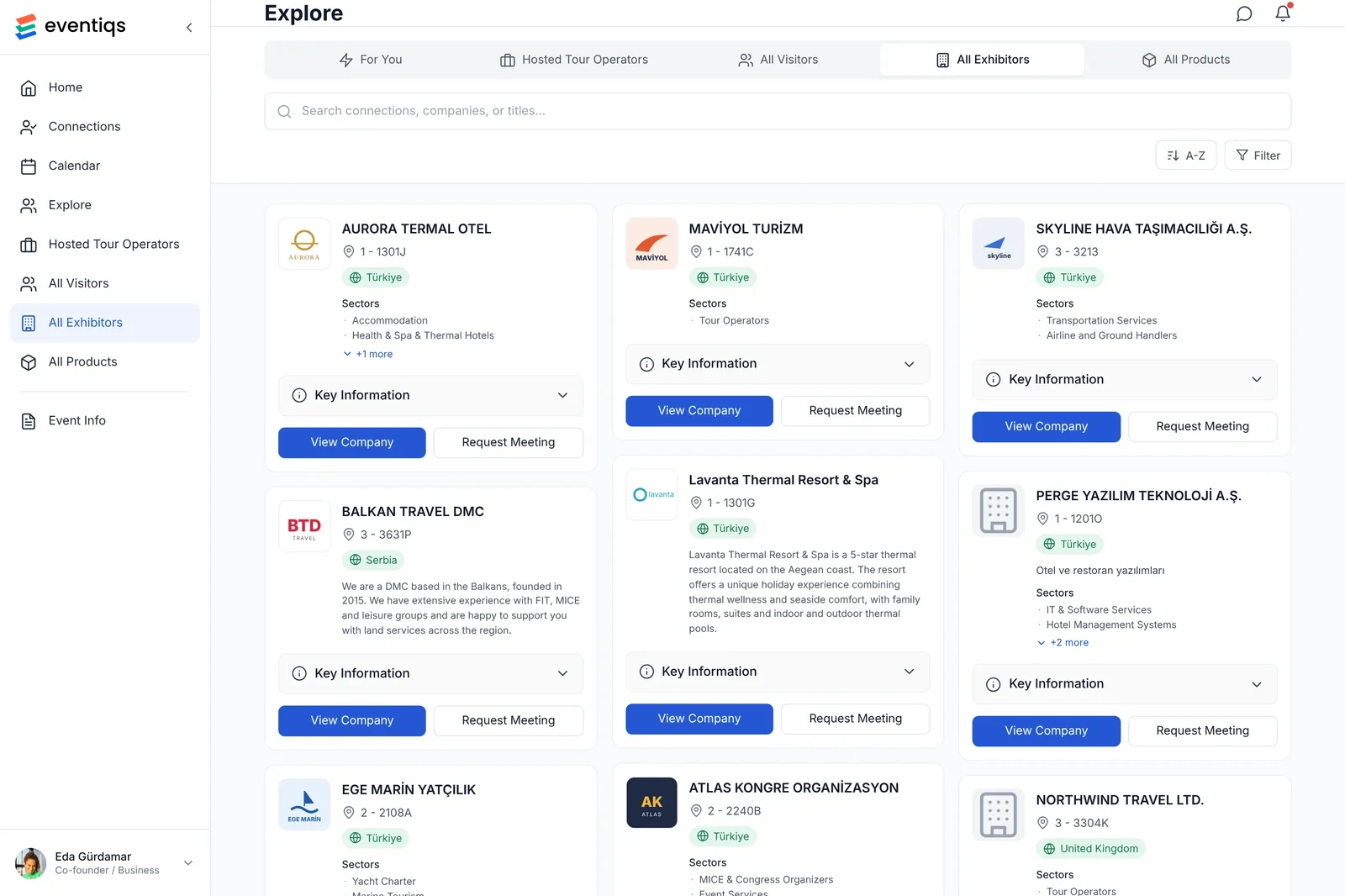
Sponsor and Exhibitor Profiles
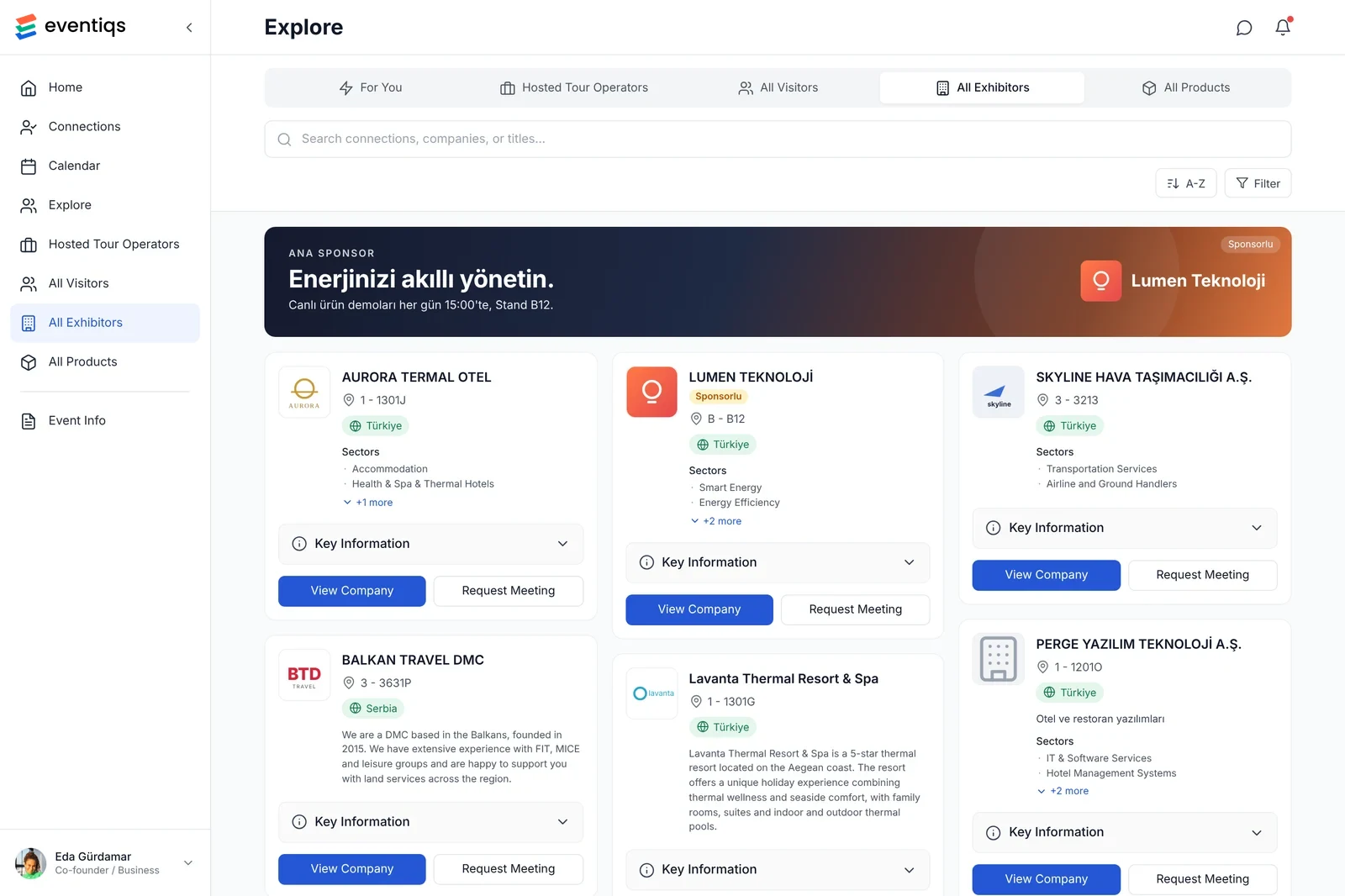
Companies appear with their products and teams, not just their names.
- Company pageLogo, sponsorship tier, booth details and description
- Products and catalogsProduct pages, descriptions and catalogs on the platform
- RepresentativesConnect with company reps directly and request meetings
Advertising and Visibility
In-app visibility slots join sponsorship packages and bring organizers extra revenue.
- Sponsored push notificationsBooth activities and announcements reach the target audience
- Banner slotsOn the home and Discover lists, on web and mobile
- Sponsored company cardsAt the top of the company list with a Sponsored label
Organizer Tools
Content, communication and results are managed from one panel.
Coming soon to this group: AI Application Screening, AI Support Assistant
Organizer Panel
All event content is managed from one panel.
- Event and program managementDays, sessions, halls and speakers
- Visitor and travel dataBulk upload, categories and personal details
- Content and documentsVenue maps, services and useful links
Örnek OrganizasyonGlobal Impact Summit 2027Organizatör AdminOrganizatör Paneli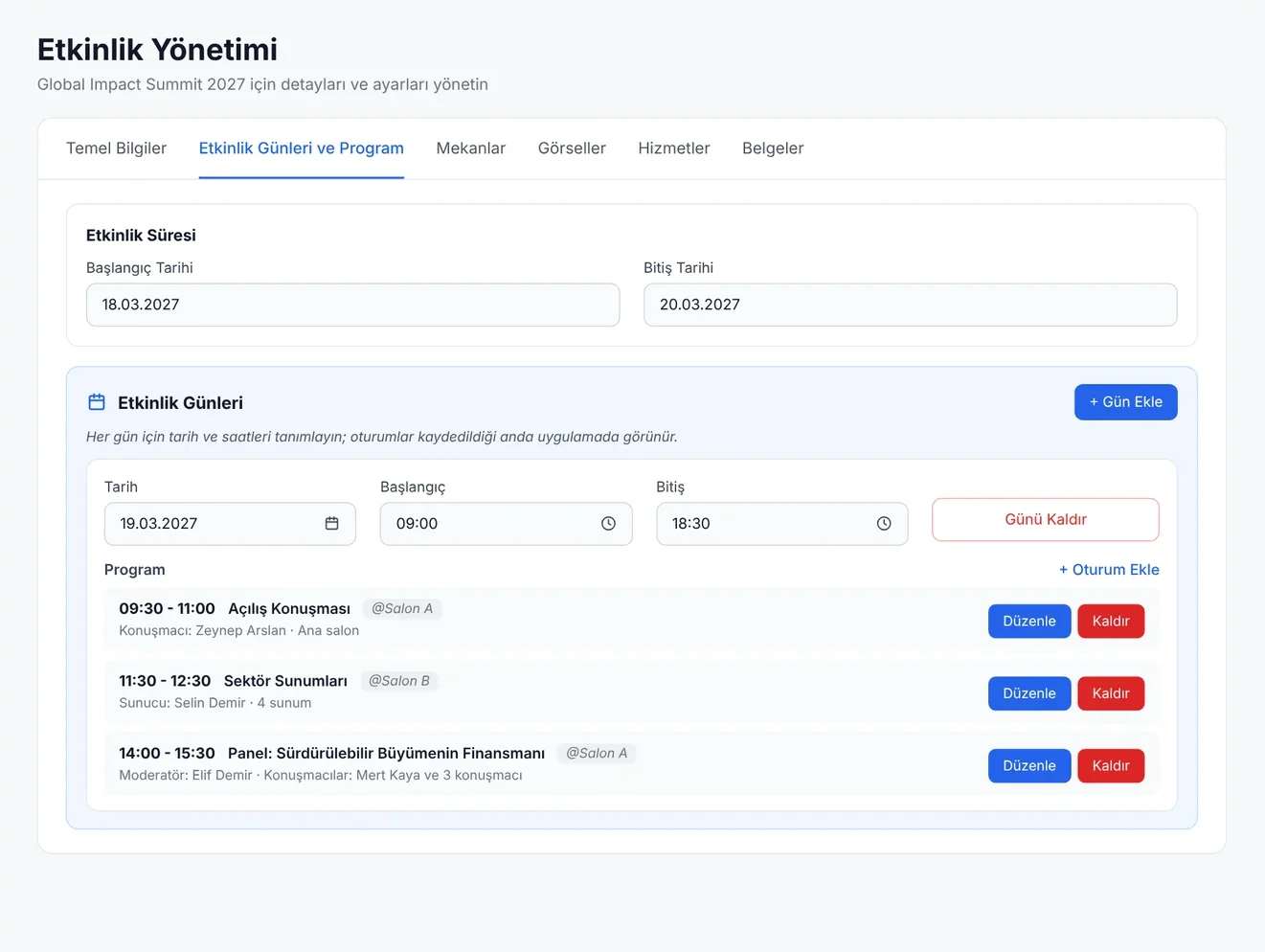
Communication: Email and Push
The right message reaches the right person at the right time.
- Segmented sendingEmail and push by category or person
- Scheduled scenariosReminder and activation flows are set up in advance
- Delivery and click trackingDelivery and engagement rates are reported for every send
Sample OrganizationGlobal Impact Summit 2027Organizer AdminOrganizer PanelAnalytics and Reporting
Event results are shown with data, not guesses.
- Live indicatorsActive users, meetings, QR scans and messages
- Reports by stakeholderVisitor, sponsor and exhibitor performance separately
- Data for the next editionAccumulated data feeds the planning of the next event
Sample OrganizationGlobal Impact Summit 2027Organizer AdminOrganizer Panel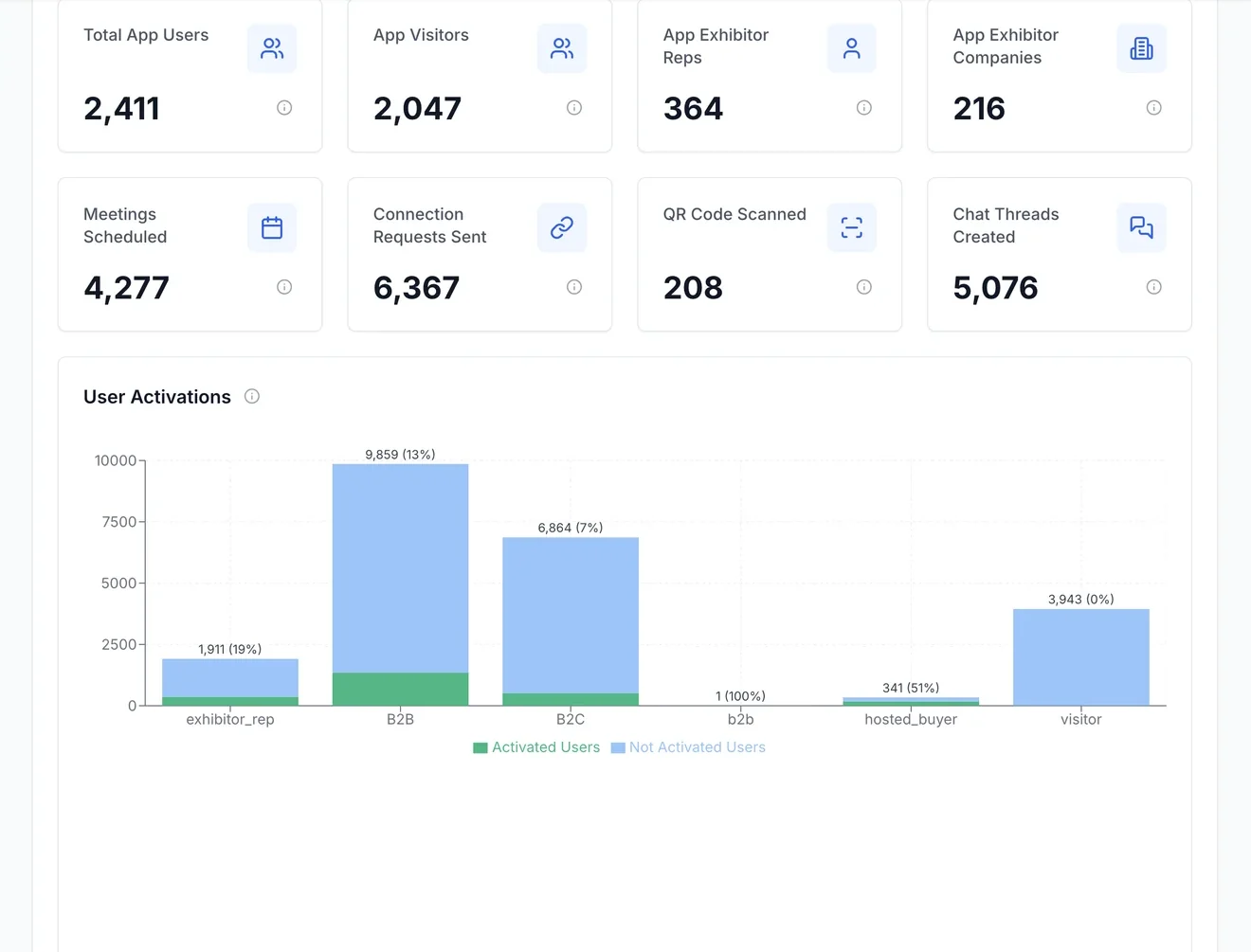
Coming soon: two new AI-powered modules
Screening applications and answering event support are where organizers lose the most time. AI takes on most of that work in both, and the critical calls stay with you.
AI Application Screening
Turns hundreds of applications into a shortlist with reasons, instead of days of spreadsheet work.
- Questions built from your applicationsNo fixed filter form, and you don't need your criteria up front. The AI reads the applications, finds what sets this pool apart and asks you about it: "180 applications are at idea stage with no revenue. Screen them out?" Every answer becomes a selection criterion made for your event.
- A scored shortlist with reasonsEach remaining application is scored on the criteria you marked as important and joins the shortlist with a short reason; you can see which question screened out the rest, and add or remove entries yourself.
- Result emails on approvalWhen you approve the shortlist, acceptance and rejection emails go out automatically, and a waiting list gets its own message.
Sample OrganizationGlobal Impact Summit 2027Organizer AdminOrganizer Panel180 applications are at idea or prototype stage with no revenue. Should I screen them out?
AI Support Assistant
In auto mode it answers attendee and exhibitor questions itself and hands your team only the ones it cannot answer.
- Answers on its own in auto modeParking, session times, booth setup: it answers from your program, venue details and FAQ, so your team stops handling routine questions.
- Hands you what it does not knowWhen it is not sure or your event data has no answer, it does not guess; the conversation lands in the panel for your team, with the full thread.
- Learns from your repliesYour team's answers are added to its knowledge, so the next time the same question comes in, the assistant handles it.
Sample OrganizationGlobal Impact Summit 2027Organizer AdminOrganizer PanelHi Mert, free attendee parking is available at entrance B of the congress center, open from 08:00 on event days.
Attendees use it on their phone or computer.
iOS and Android
Native apps with push notifications and a QR scanner.
Mobile web
No download needed; the same content opens in the browser.
Desktop
The organizer panel and attendee view on a large screen.
Content updates on every channel at once.
Questions about the modules
How do I know which modules to choose?
Pick your event type in the module builder to get a recommended starting set, then add or remove modules as you need. At the kickoff meeting we settle the choice together around your event's goals.
How does Smart Matching work?
It combines the profile and interest data attendees and exhibitors give at registration with their activity in the app. Every suggestion comes with a reason and a match score, and attendees request a meeting in one tap.
How does the speed networking module work?
You define the session, the participant pool and capacity in the panel. The match matrix is built by round, table and time; you can re-run matching and then publish the agenda. Every participant sees their own table and time in the app.
How does photo sharing work?
Event photos are uploaded, and AI-powered face matching finds the shots that match each attendee's profile photo. Attendees see their photos in the app and share them with the event frame in one tap.
What is there for sponsors and exhibitors?
Exhibitor profiles, in-app ad and visibility placements, notifications, and connection capture through QR and business card scanning. Engagement results are reported per company.
Which reports do I get after the event?
The analytics panel shows active users, planned meetings, connection requests, QR scans and messages live. Separate reports for attendees, exhibitors and sponsors feed the planning of your next edition.
See the modules on your own event.
Tell us your event's scale and format, and we will set up a walkthrough with the modules that fit.
Request a demo