Lead capture at trade shows: business card scanning, QR and the follow-up that matters
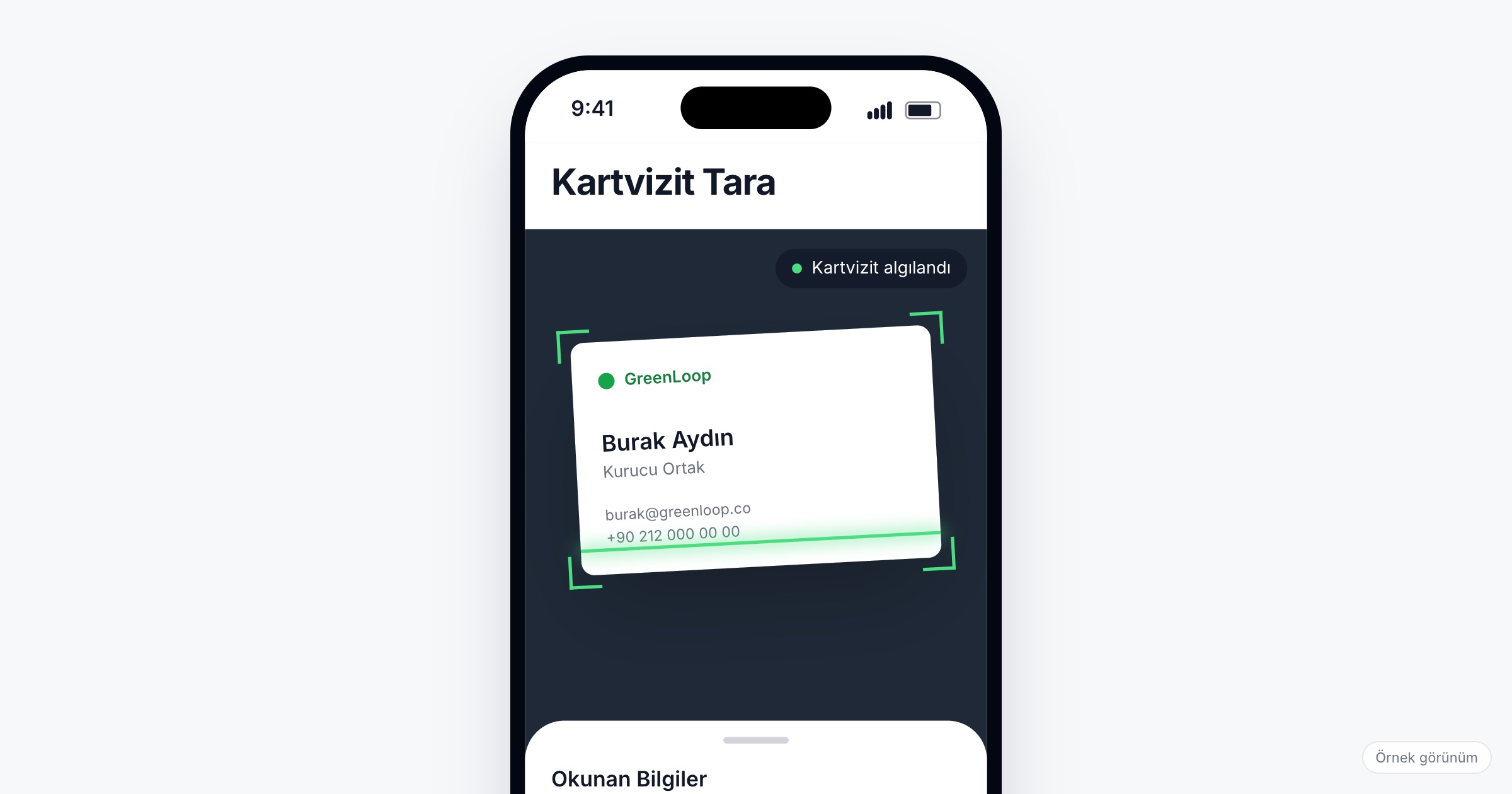
Lead capture at a trade show means turning every conversation at the booth into a saved contact before the visitor walks away, with enough context to follow up. In practice that takes two routes: scanning the visitor's QR code in the event app, or scanning a printed business card when the visitor does not use the app. Whichever route you use, the note written on the spot and the follow-up in the days after the fair decide whether a contact becomes business.
Why business cards still get lost
At the end of a fair day, the booth team is left with a stack of cards. Who said what is already fading; the cards wait days to be typed into a spreadsheet; some go home in a jacket pocket and never come back. By the time the sales team calls, the visitor has met forty other companies and does not remember the conversation. Exhibitors and sponsors then cannot show how many contacts they took home, which makes the case for returning next year harder.
Two ways to capture a contact
QR: when the visitor uses the event app
Each attendee has a personal QR code in the app. The booth team scans it and the visitor's profile is saved as a connection, with name, company and title already filled in from what they gave at registration. Nothing has to be typed, and nothing is misread.
Add a private note right after the scan, while the conversation is still fresh. Only the person who writes the note should see it.
Business card scanning: when they do not
Not every visitor opens the app, and many still hand over a card. Taking a photo of the card in the app should read the name, company, title, phone numbers and email addresses. Card designs vary a lot, so expect the occasional misread: a good scanner marks the fields it is unsure about, and the booth team checks them before saving. If a card cannot be read at all, typing it in should take less than a minute.
Ask the vendor: Which fields are read from a card? How does the app show a field it is unsure about? Is the card photo kept with the contact?
The note is worth more than the card
A card tells you who someone is. The note tells you why you should call them. Write it at the booth, in one line:
- what they asked about ("pricing for 200 units"),
- when they want to decide ("budget opens in March"),
- what you promised ("send the catalog by Friday").
A contact without a note goes to the bottom of the follow-up list. A contact with "wants a quote, decides in March" gets a call on Monday.
After the fair: follow-up
- Within two days. Send what you promised while the fair is still on the visitor's mind.
- By priority. Start with the contacts whose notes mention a need and a date.
- With context. Mention the conversation, not just the fair: "you asked about delivery times for the second half of the year".
- One owner per contact. Decide who on the team follows up, so nobody gets three calls and others none.
What exhibitors and organizers should measure
For exhibitors, the useful numbers are simple: how many contacts were captured, how many have a note, and how many were followed up. For organizers, the number of QR scans across the fair shows how much the floor actually connected, and it feeds the reports you send exhibitors and sponsors after the event. Our sponsor report guide covers how to present these numbers honestly.
Data protection at the booth
Contact details captured at a fair are personal data. Visitors who show their QR code or hand over a card expect to be contacted about that conversation, not added to every newsletter you send. Under Turkey's KVKK and the GDPR, commercial messages need their own consent; check with your legal counsel before you move fair contacts into marketing lists. This article is not legal advice.
Checklist for the booth team
- Install the event app on every booth phone before the fair and sign in.
- Agree on one note format: need, timing, promise.
- Decide whether you scan the QR code first and fall back to the card, or the other way round.
- Check scanned cards before saving, especially emails and phone numbers.
- Set a daily time to review the day's contacts while memories are fresh.
- Assign follow-up owners before the team flies home.
Common mistakes
- Collecting cards in a bowl. A card without a conversation behind it is not a lead.
- Typing cards in a week later. Context is gone, and some cards are lost.
- Skipping the note because the queue is long. One line takes ten seconds and saves the follow-up.
- Following up everyone with the same email. Visitors notice when the message could have gone to anyone.
- Leaving it all to one person. If the only phone with the contacts goes home with one salesperson, so do the leads.
How Eventiqs helps
With Eventiqs, booth teams capture contacts in the event app two ways: by scanning a visitor's personal QR code, which saves their profile as a connection with a private note, or by photographing a business card, which AI reads and marks the fields it is unsure about for the team to check before saving (lead capture app). QR scans are visible to organizers in the analytics panel and feed exhibitor and sponsor reporting. Contacts sit next to everything else the fair runs on, from matchmaking to the meetings in each person's calendar; our trade show app article covers the rest.