Event communication: which emails and push notifications to send, to whom and when
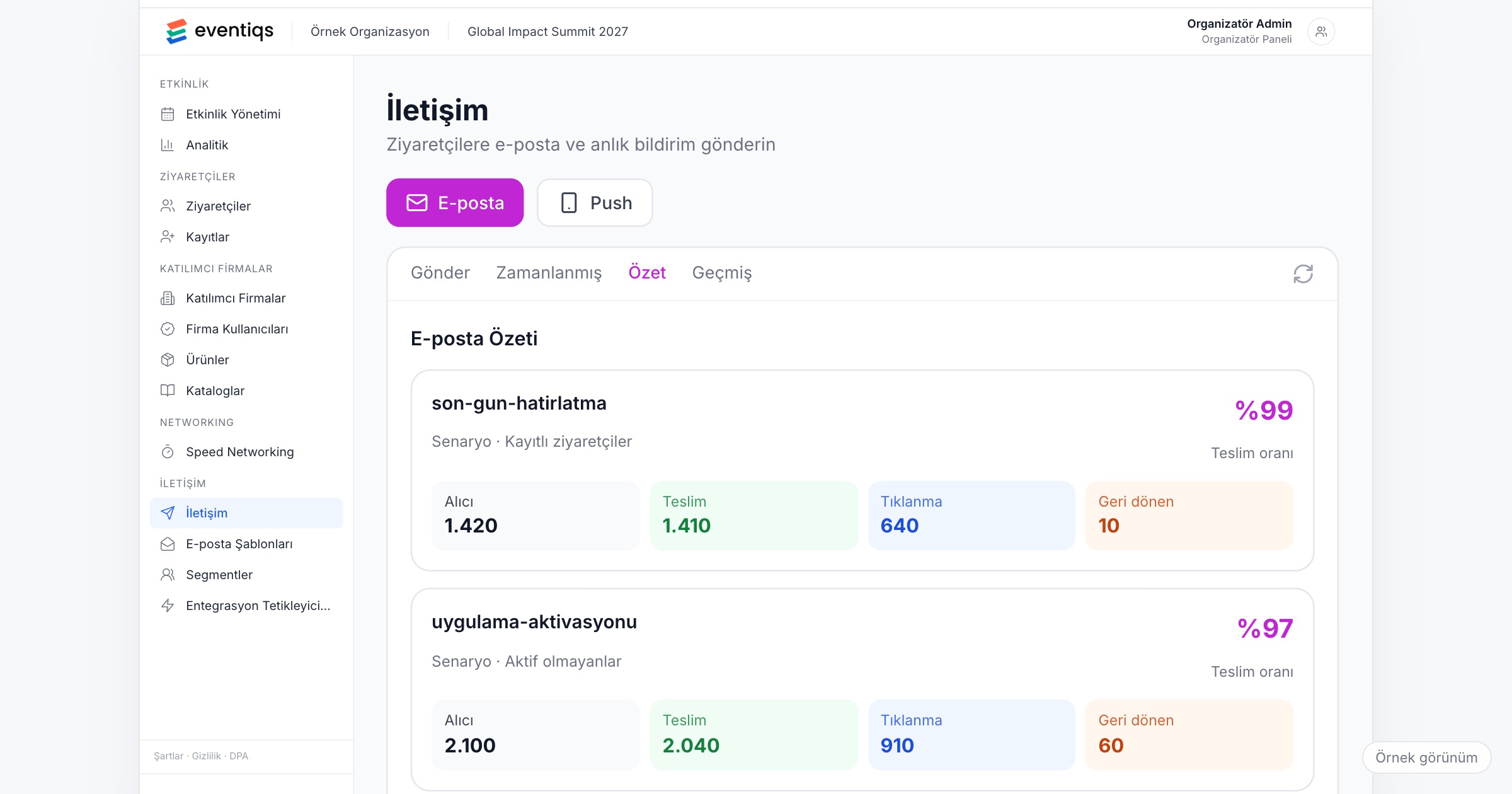
An event communication plan decides in advance which messages go out by email and which as push notifications, to which group of attendees, and at what moment before, during and after the event. It matters because attendees act on the message that reaches them at the right time, and they stop reading once every message goes to everyone. A workable plan uses email for what people need to keep and read at their desk, push for what they need to know now, and targets both by attendee category or by person. When you choose a tool, check segmentation, reminder and activation flows you can schedule in advance, and delivery and click reports for every send.
Why event communication is hard
Take a dealer meeting with 300 dealers and 60 employees at a hotel outside the city. On the morning of day two, the transfer to the factory visit moves from 08:30 to 08:00 because of traffic on the bridge. At noon, the wind picks up and the gala dinner moves from the terrace to the indoor restaurant. In the afternoon, a workshop on a new financing scheme is open only to dealers from one region.
In many teams, all three messages go out the same way: one large messaging group, or one email to the whole list. The workshop notice reaches 360 people it does not concern, so the transfer change sent an hour later gets skimmed and missed. Dealers who left the group never hear about the dinner.
An incentive trip has the same problem in a different shape. Two groups fly on two different flights, and only the first group has a 06:00 transfer. A push about that transfer sent to everyone wakes the second group for nothing, and the next push from you gets ignored.
Fairs and congresses add scale: a seminar moves hall, a shuttle time changes, a sponsor wants to announce a booth activity. Without a plan, attendees learn to swipe your notifications away. Attendee communication is less about writing the message than about deciding who gets it and when.
Email or push: what each is for
Email is for what people keep and come back to: the invitation, the confirmation, the practical information pack, the thank-you note and the survey. It is read at a desk, often days ahead.
Push is for what matters now: a change, a meeting point, a session about to start. It is read on the move, in seconds. A push that reads like an email gets ignored; an email that carries urgent news arrives too late.
A sample communication timeline
Adjust this to your event:
- Four to six weeks before: invitation email to the invite list, with the registration link.
- After registration: confirmation email and the invitation to the event app.
- Two weeks before: activation reminder: open the app, complete your profile, plan your meetings.
- One week before: practical information email: venue, dress code, travel details, where to find the program in the app.
- The day before: a short push with the first thing that matters tomorrow, such as the registration time or the first session's hall, and separate pushes per group for transfer times.
- Morning of the event: a welcome push with where to go first.
- During the event: personal reminders before each session from the attendee's own calendar; changes as push to the affected group only; a short push at the end of each day about tomorrow's first item.
- After the event: a thank-you email within a day or two with the survey, photos and presentations.
What to look for
1. Segments by category and by person
The workshop for one region, the transfer for one group, the press briefing for journalists only: each needs a message that reaches just those people. The tool should let you target by attendee category (dealer, employee, speaker, press, guest) and by individual person, so a message about one hotel booking goes to one guest.
Ask the vendor: Can we send email and push to a category, and to selected people? Are the categories the same ones we use at registration?
2. Scheduled reminder and activation flows
Most of the timeline above can be written weeks ahead. Schedule the reminders and activation messages once, and keep your team free for the changes no one can plan.
Ask the vendor: Can we schedule reminder and activation flows before the event starts? Can we edit a scheduled message before it goes out?
3. Personal reminders from the attendee's calendar
You should not need to send "the session starts in ten minutes" to everyone. When each attendee has a personal agenda with the sessions and meetings they chose, the app can remind them before each session, and your broadcast messages stay for real news.
4. Program changes that reach the app right away
A push says that something changed; the app should show the new hall or time when the attendee opens it. If the program in the app still shows the old hall, the push creates more questions than it answers. Make the change in the program first, then send the message.
5. Delivery and click reports for every send
After each message, you want to know how many people received it and how many clicked. A low click rate on the transfer change means a second message, or someone at the hotel door.
Ask the vendor: Are delivery and click rates reported for every email and push? Can we see them during the event, not only afterwards?
6. Rules against notification fatigue
This one is about your team. Agree on a limit of pushes per day, quiet hours (no non-urgent push late at night or early in the morning), and a single person who approves every send. Every push should pass one test: does this person need to know this now?
7. Sponsored messages kept apart
Sponsored push notifications about a booth activity or a giveaway can be a sellable item, but they compete with your operational messages for attention. Label them clearly, limit how many go out each day, and never let them crowd out a change attendees need to see.
8. Consent for commercial messages
Operational messages about an event someone registered for are not the same as promotion. Messages that promote a product, a sponsor or the next edition generally need their own consent under data protection and electronic marketing rules such as Turkey's KVKK and the GDPR. This article is not legal advice; talk to your legal counsel about your own case.
Checklist before the event
- Write the timeline: every planned email and push, its audience and its send time.
- Define the segments you will need, and make sure registration categories match them.
- Schedule the reminder and activation flows before the event week.
- Name one person who approves every push during the event, and a backup.
- Agree on a daily push limit and quiet hours.
- Prepare short templates for the changes you expect: transfer time, venue change, session moved.
- Separate commercial and sponsored messages from operational ones, and check the consent you have for each.
Common mistakes
- Sending everything to everyone. A message that concerns a few people teaches the rest to ignore you.
- Writing a push like an email. A push should be read in a few seconds; details belong in the app.
- Announcing the app on the morning of the event. Attendees who have not opened it before arrival miss your first pushes.
- Sending the change before updating the program. Attendees open the app and still see the old hall.
- Never looking at the numbers. Without delivery and click rates, you do not know whether the transfer change reached anyone.
- Letting sponsors set the volume. Too many sponsored pushes and your next urgent one gets swiped away.
How Eventiqs helps
With the Eventiqs Communication module, you send segmented email and push notifications by attendee category or by person, set up scheduled reminder and activation flows in advance, and see delivery and click rates for every send. In My Calendar, each attendee gets a reminder before each session they chose, and program changes made in the panel appear in the app right away through Speaker Flow. Sponsored push notifications are available as a sponsor placement, and results are reported per sponsor. For the wider setup, read our posts on corporate event apps and personal event agendas.